Pages

Friday, May 25, 2018

Google Drawings Infographic Template

I came across this resource this morning.
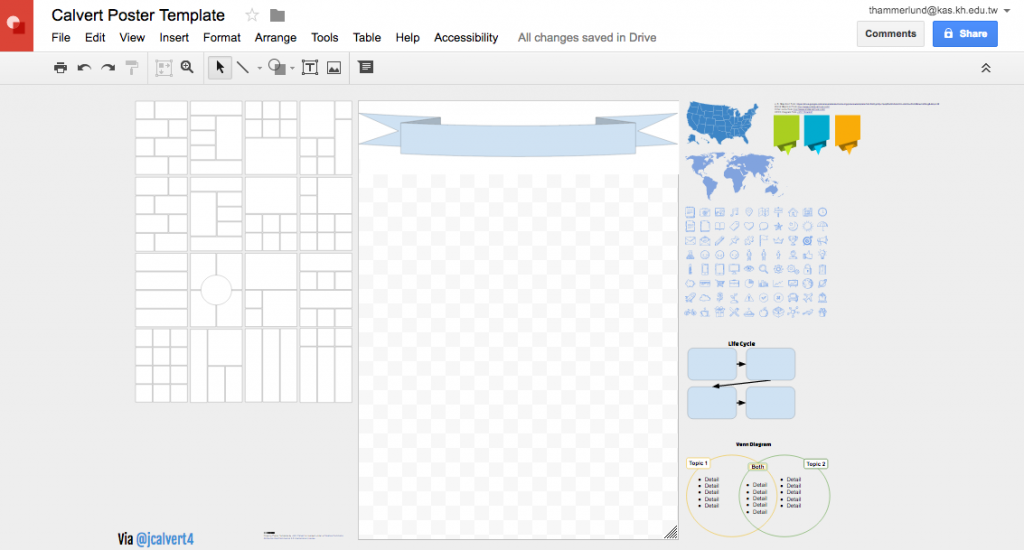
This is an infographic template for students made with Google Drawings.
Infographics are a great way to promote information literacy and change up the way students are showing what they learned.
Here is the link to the document. You or your students can make a copy.
Infographic resources:

Reopen Closed Tabs

It happens.

You close out the Chrome browser and lose all the tabs you have open. If you use a program like OneTab and have been saving along the way you will be fine, but what if you didn’t save?

There are a few ways to retrieve your lost tabs/windows.

1. CTL + Click on a tab, and select reopen closed tab
2. CMD + SHIFT + T will open a recently closed tab as well.
3. Click on the “hotdog” option menu in Chrome, and go to history.

How to Keep the Projector on Longer

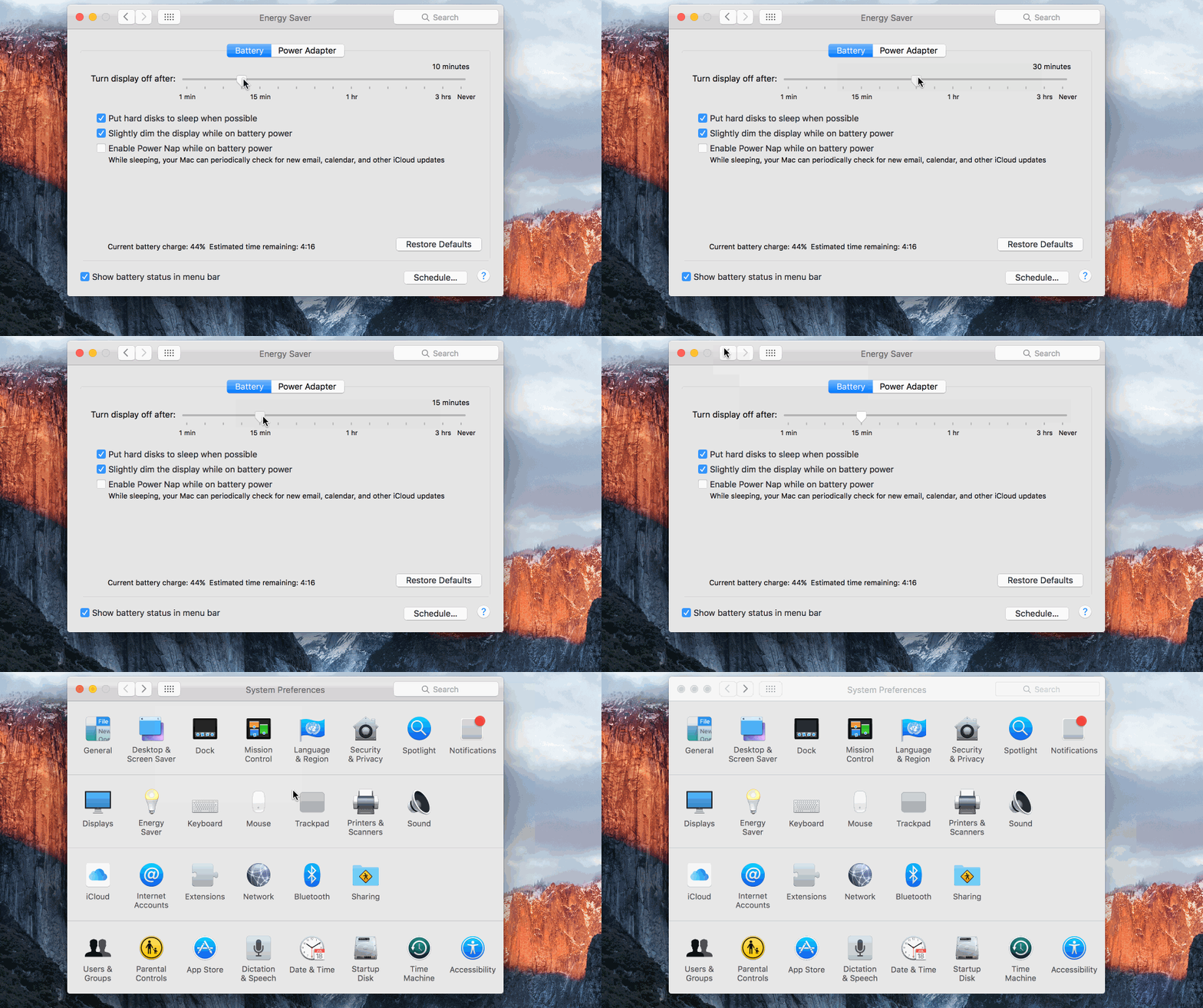
It can be very annoying to have the projector fall asleep when you are in the middle of a lecture or presentation. To make sure this does not happen while you are presenting …

  1. Open Settings
  2. Open Energy Saver
  3. Increase the slider for “Turn off display after”


projector